1 · Review
Explore the Agent Environment Review: configured agents, their declared permissions, and configuration gaps to investigate.
Explore DeepSweep Studio™, a desktop workspace for reviewing agent permissions and inspecting policy decisions. See the preview below and try the browser demo.
Studio is in development. Installers are not yet available.
The preview does not enforce permissions across your running agents.
Explore the Agent Environment Review: configured agents, their declared permissions, and configuration gaps to investigate.
Try allow, approval-required, and deny decisions in the browser demo. These examples illustrate policy behavior without controlling your agents.
Inspect the preview of decision records: the agent, requested action, policy and verdict. Recording a decision is not proof that every action was intercepted.
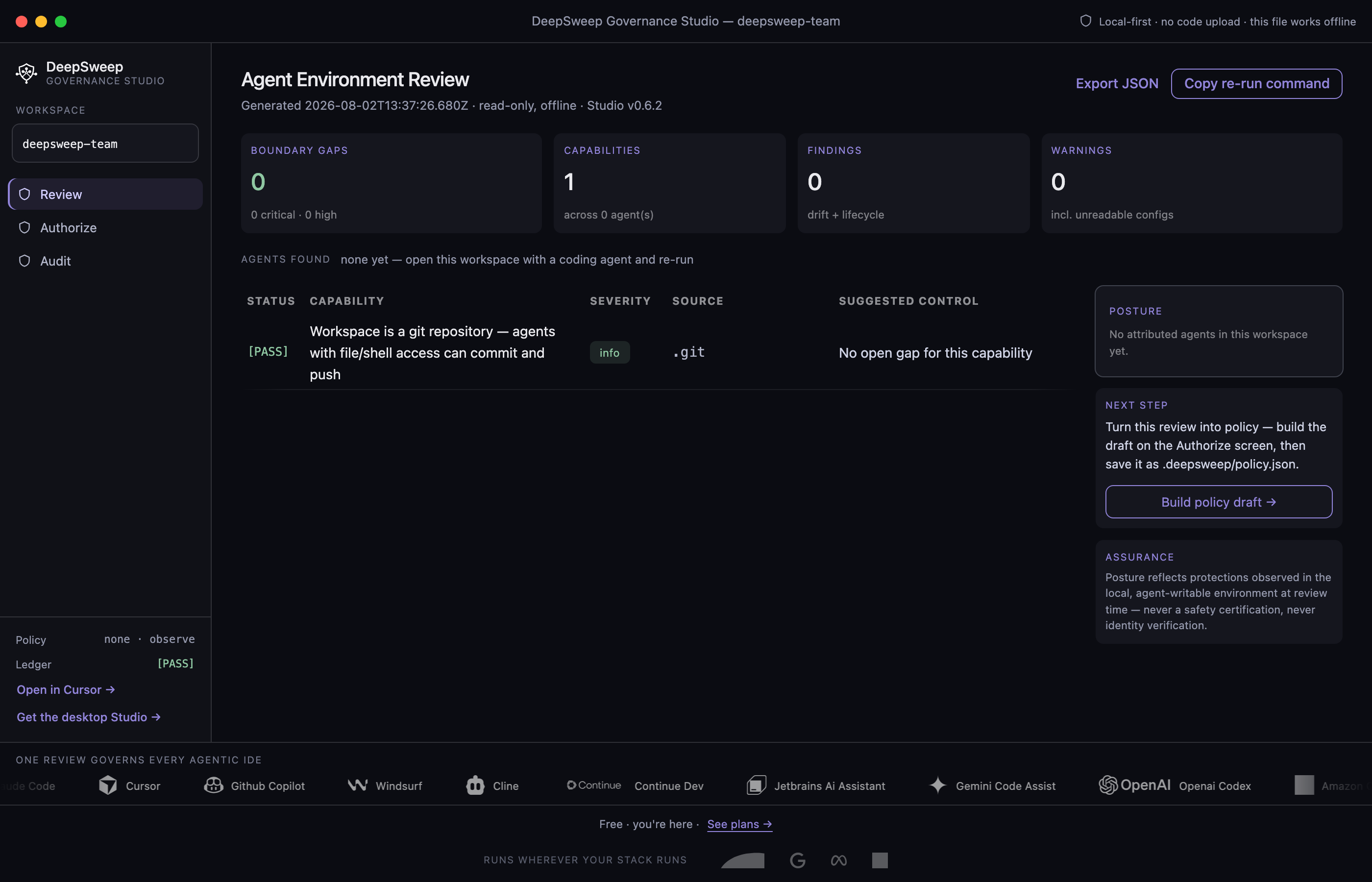
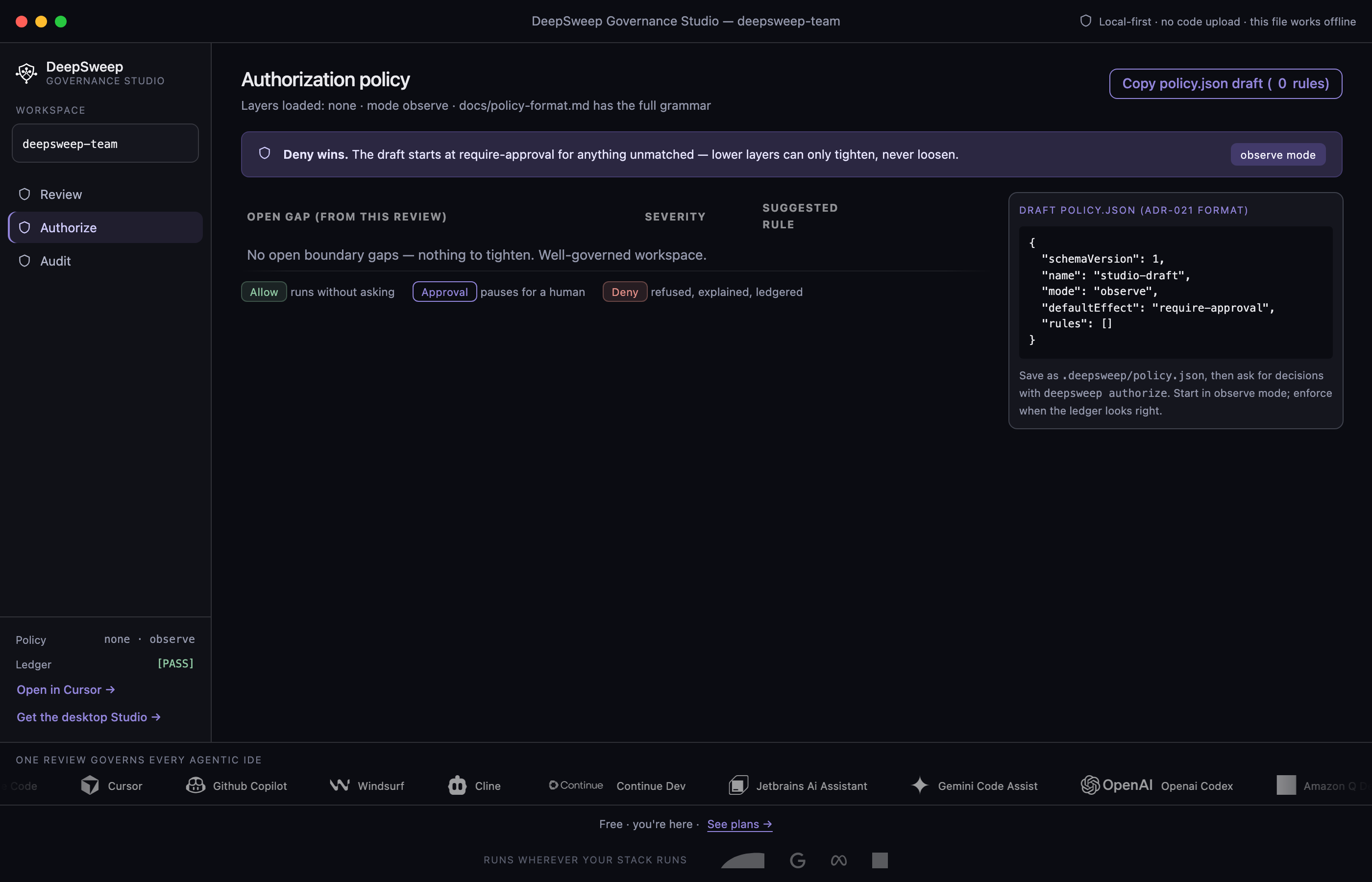
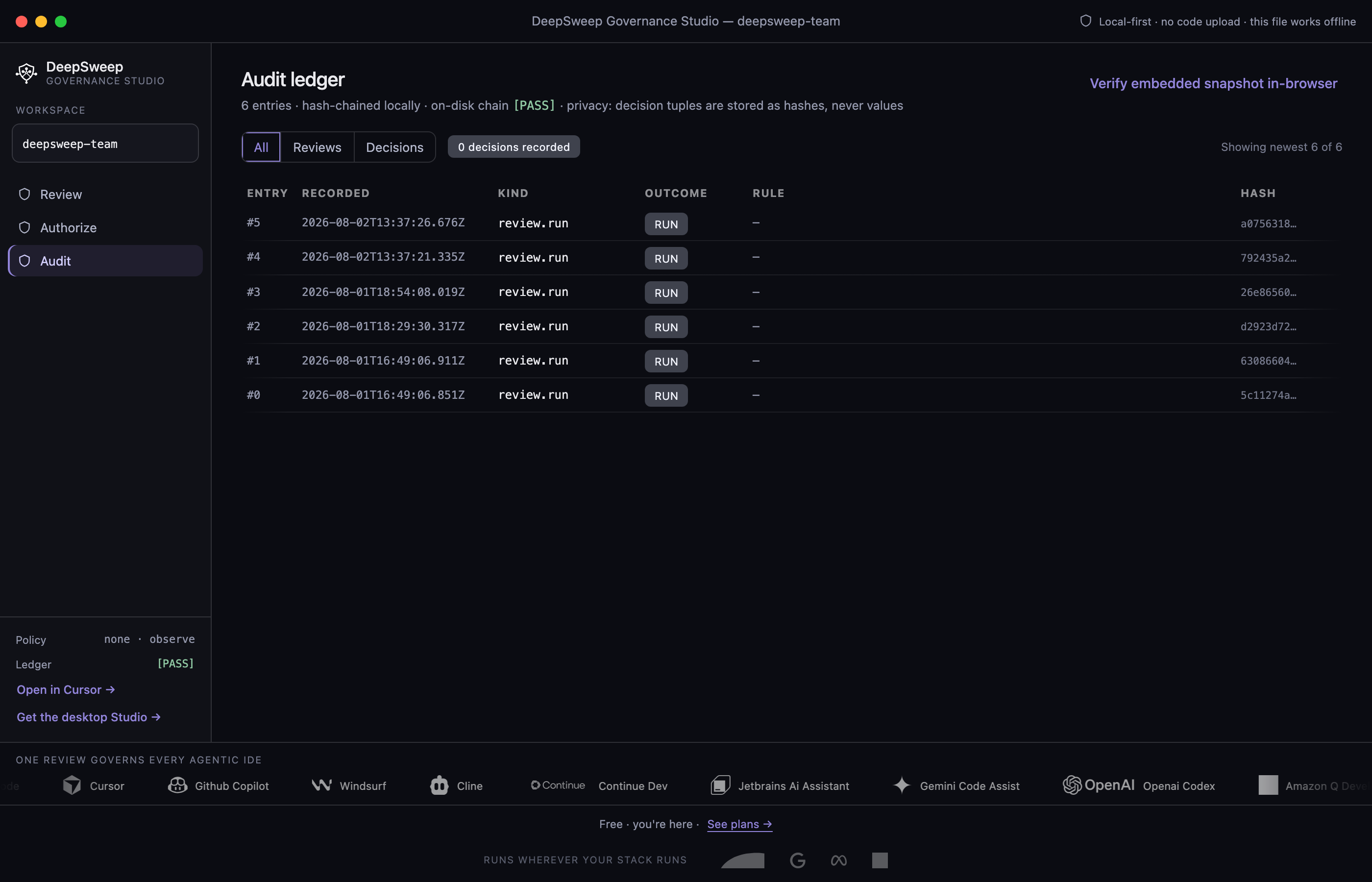
Not yet available to download. It ships with Studio.
The gateway will come with the Studio desktop app. It is designed observe-first: it records and explains MCP tool calls routed through it, and enforcement turns on only when you say so. What you can use today is the free review in your editor. The example below shows the kind of MCP findings it reports.
Built to check MCP tool calls routed through it against your policy before the call is forwarded.
A call your policy marks for a human is refused with a single-use approval token bound to that exact agent, action, resource, and argument set. A human approves it out of band, then the agent retries.
Tool descriptions are pinned on first sight. A changed description trips a breaker that refuses the call until a human re-approves the tool.
Allowed, denied and held tool calls are written to a hash-chained local ledger with inclusion proofs. Records carry hashes of payloads, never your code.
DeepSweep Studio™
See what each configured agent can reach — Cursor, Claude Code, Copilot, Windsurf and the rest — and preview per-agent allow, approval-required and deny decisions. Early access builds ship to the list first; the preview does not control your running agents.
…Select an entry to recompute the head from its proof.
Timed in your browser and amortised over 5,000 evaluations per row. Browsers deliberately blunt their clocks, so anything under about 0.2 µs is below what this page can measure.
Early access — first builds go out to this list. All builds and checksums See how it works